Make every action visible
SoftwarePresenter captures and displays live mouse and keyboard input in a compact overlay so viewers always see exactly what you do. The overlay highlights cursor movements, mouse clicks, and typed shortcuts in real time — ideal for training sessions, screencasts, webinars, and live demonstrations.
Designed to be lightweight and configurable, the overlay stays out of the way while making your actions explicit. Customize the size, colors, and which events are shown to match your presentation and accessibility needs.
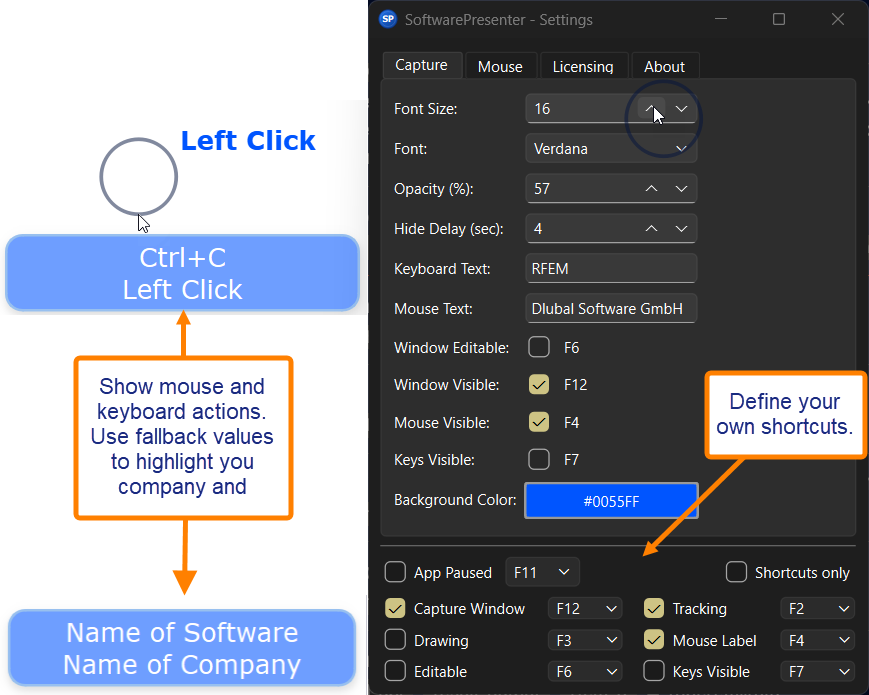
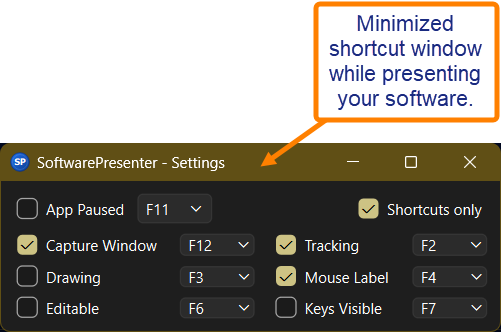
During the presentation, simply switch to the minimal shortcuts overview. Space-saving and easy to use.
Features
- Live mouse visualization — follow cursor movement and clearly see clicks and drag operations as they happen.
- Readable keyboard and shortcut display — modifiers and key combinations are shown together so viewers understand exactly which keys were used.
- Compact overlay — a small, resizable window that stays visible without blocking important UI elements.
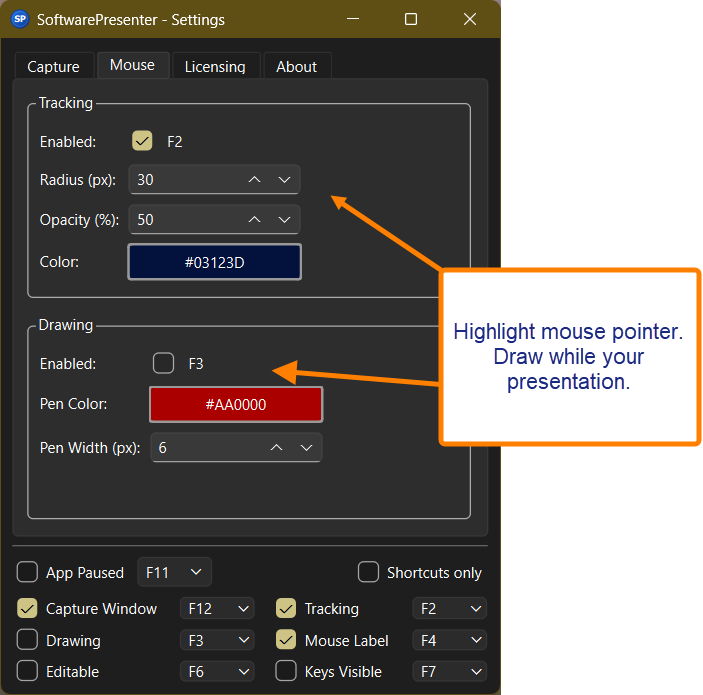
- Customizable appearance and behavior — change colors, fonts, opacity, and event sensitivity to suit different recording or live scenarios.
- Low overhead — built to run smoothly alongside screen-recording and streaming tools with minimal performance impact.
Pricing
Begin with a free evaluation to try the overlay in real sessions, then send us your feedback by email.
Each license costs €59,99 and includes all updates within the same main version (for example, all 1.x.x releases).
A new license is required only when upgrading to a new main version (e.g. from 1.x.x to 2.x.x).
About
SoftwarePresenter displays live mouse and keyboard actions in a compact, readable overlay so instructors, presenters, and content creators can demonstrate software interactions with precision. Rather than relying on viewers to infer shortcuts or typed input, the overlay shows each action as it happens, improving clarity and learner confidence.
Mission
Our mission is to remove ambiguity from demonstrations and make digital instruction more accessible. Clear, visible actions reduce cognitive load for learners, help trainers to reproduce workflows exactly, and make recorded tutorials easier to follow.
How it works
SoftwarePresenter observes input events and renders a small overlay that visualizes those events in real time. The overlay highlights mouse moves and clicks, shows typed characters and key combinations, and can optionally emphasize modifier keys like Control, Alt, and Shift. You can position the overlay anywhere on the screen or lock it to a corner so it never obscures important UI elements.
Use cases
Typical uses include live training sessions where instructors demonstrate complex shortcuts, screencasts that need the exact sequence of inputs to be clear, and webinars or conference talks where attendees must quickly reproduce demonstrated steps. It's also useful for creating accessible tutorials that explicitly show keyboard-only workflows for users who rely on keyboard navigation.
Privacy and control
SoftwarePresenter is designed to give you control over what is displayed and how long input is retained. Appearance and event capture are configurable, and you can choose to disable any event types you don't want shown. For deployments with strict privacy requirements, configuration options allow minimizing or disabling logging and sharing.
Contact
Email us: info(at)softwarepresenter.com